
The Signet Team brings together engineers, consultants, and technical staff from Signet CS — a company that has been helping businesses …
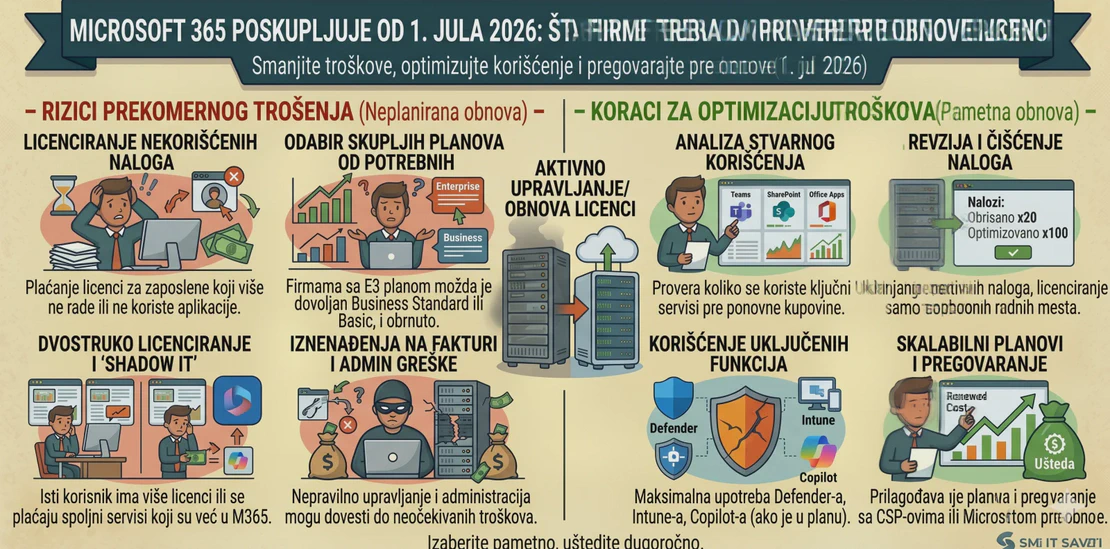

Microsoft 365 Price Increase from July 1, 2026: What Companies Should Check Before Renewing Licenses
Microsoft 365 has become a core tool for daily work in many companies: business e-mail, Office applications, Teams meetings, OneDrive, SharePoint, account security, and document access. Because of this, a change in Microsoft 365 license pricing is not just an administrative detail. It directly affects the IT budget and the way a company uses its digital tools.
Microsoft has announced new commercial pricing that takes effect on July 1, 2026, with global application and local market adjustments. For business plans with Teams, Microsoft 365 Business Basic increases from USD 6 to USD 7, Business Standard from USD 12.50 to USD 14, while Business Premium remains at USD 22 per user per month according to published list prices.
This means now is the right time for companies to review what they actually use, what they pay for, and whether their licenses can be better organized.
A Price Increase Is Not Only a Cost — It Is Also an Opportunity to Review
Many companies add Microsoft 365 licenses over the years as needed: a new employee, a new mailbox, a new computer, an additional user for an application, or a temporary account that later remains active. After several years, it is common to find that a company is paying for licenses that are not being used, using the wrong plans, or lacking a clear overview of who has which license.
That is why the price increase should not be viewed only as a problem. It is a good reason to optimize.
Before renewing licenses, companies should check:
- how many active users really exist,
- which users need a mailbox and which do not,
- who uses desktop Office applications and who only needs web access,
- whether there are inactive or former users,
- whether SharePoint, OneDrive, and Teams are used in a planned way,
- whether the company is paying for additional services already included in an existing plan,
- whether Business Premium is more cost-effective than combining several separate solutions.
Business Premium Becomes Even More Important for Serious Business Environments
For small and medium-sized businesses, it is especially important to compare Business Standard and Business Premium. Business Standard is often enough when a company uses e-mail, Office applications, and Teams. However, as security requirements, remote work, and device management needs grow, Business Premium may become the better option.
Business Premium includes more advanced security and management features, while Microsoft’s published pricing table shows that its list price for the business plan with Teams remains unchanged at USD 22 per user per month.
This does not mean that every company should automatically move to Business Premium. But it does mean it is worth checking whether you are already paying separately for antivirus, identity protection, device management, or e-mail security — and whether some of that can be consolidated through the right Microsoft 365 plan.
New Capabilities Are Coming During 2026
Microsoft did not announce only a price change, but also additional capabilities in certain plans. According to Microsoft, new features begin rolling out from the summer of 2026, including Defender for Office 365 Plan 1, Intune Remote Help, Intune Advanced Analytics, Intune Plan 2, Intune Privilege Management, Microsoft Cloud PKI, and Intune Application Management for certain plans.
For companies, this means that it is important to check not only the price, but also the value the plan provides. Some tools that previously had to be purchased separately may become available through an existing or upgraded package.
What Should Be Checked Before License Renewal?
Before the next Microsoft 365 license renewal, a company should perform a basic review of its tenant and users. This includes active users, assigned licenses, security settings, MFA, administrator accounts, shared mailboxes, groups, Teams, SharePoint sites, and access policies.
Special attention should be paid to users who no longer work at the company, test accounts, old administrators, unlicensed mailboxes, and users who have more expensive licenses than they actually need.
It is also important to review the purchasing model. Some companies buy licenses monthly, some annually, some through a CSP partner, and some directly. Each model has advantages and limitations, especially when the number of users changes frequently.
How Signet CS Can Help
Signet CS can help companies perform a practical review of their Microsoft 365 environment before license renewal. This includes reviewing users, licenses, security settings, e-mail systems, Teams and SharePoint structure, and recommending the optimal plan for different types of employees.
Our goal is not to automatically recommend a more expensive package to everyone, but to make sure the company pays for what it truly needs — and uses it properly and securely.
We can help with migration, license optimization, MFA configuration, user rights organization, Microsoft 365 service configuration, and connecting the Microsoft 365 environment with the company’s existing infrastructure.
The Microsoft 365 price increase from July 1, 2026 should not be met unprepared. The real question is not only how much the licenses will cost, but whether you are using them wisely.
Signet CS can help you review your existing Microsoft 365 licenses, reduce unnecessary costs, and make better use of the tools you already pay for.