
The Signet Team brings together engineers, consultants, and technical staff from Signet CS — a company that has been helping businesses …
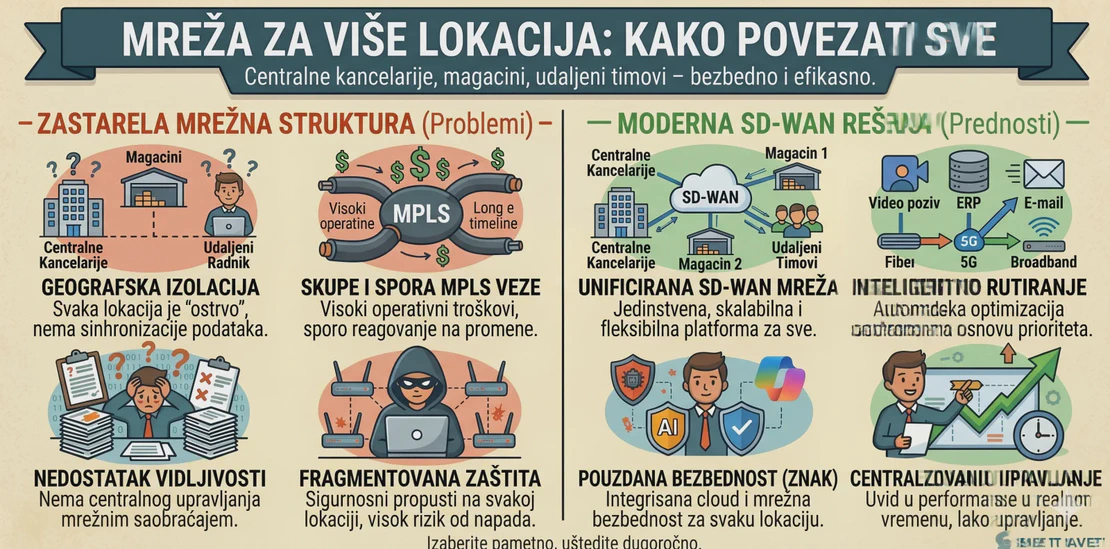

Network for Multiple Locations: How to Connect Offices, Warehouses, and Remote Teams
When a company operates from a single location, the network is relatively simple: internet connection, local network, Wi-Fi, servers, printers, computers, and users. However, as soon as additional offices, warehouses, retail locations, remote workers, or field teams appear, the network becomes a much more important part of the business.
At that point, it is no longer enough for “the internet to work.” All locations need to be connected securely, stably, and in a way that allows employees to work as part of the same system.
Why Connecting Multiple Locations Must Be Planned
Many companies start simply: one office, one internet connection, and a few computers. Later, a second location is opened, then a warehouse, then remote users, then cloud applications, then the need to access internal documents or business software.
If every new location is added without a plan, the environment quickly becomes complicated: different routers, different Wi-Fi settings, unclear access rules, VPN that works only sometimes, printer issues, slow access to servers, and insufficient security.
That is why the network must be viewed as business infrastructure, not as a collection of individual devices.
Site-to-Site VPN: Secure Connection Between Locations
One of the most common ways to connect multiple business locations is site-to-site VPN. It allows two or more locations to be connected over the internet as if they were part of the same private network.
For example, an office may have a server or business application, while a warehouse or another branch office can access it through a protected VPN connection. Users do not have to manually start a VPN client — the connection is established between network devices at the locations.
A properly configured site-to-site VPN provides stable access to internal services, files, applications, cameras, printers, or other systems, while controlling who can access what.
Remote Workers and VPN Access
In addition to connecting locations, more and more companies have users working from home, while travelling, or in the field. They require a different type of access — most often remote access VPN.
This allows employees to securely connect to the business network and access resources that are not publicly available. However, this type of access must be well protected. It is not enough to simply create a VPN account and send the user a password.
MFA protection, access rules, user-based restrictions, device control, and activity monitoring all need to be considered.
Network Segmentation
When a company has multiple locations, it is especially important to separate different parts of the network. Employee computers, guest Wi-Fi, IP phones, cameras, servers, POS devices, warehouse scanners, and administrative systems should not always be on the same network.
Segmentation provides better control and stronger security. If one device is compromised, a properly segmented network reduces the possibility that the problem will spread to critical systems.
For business environments, this is often one of the key differences between an improvised network and a professionally designed one.
Wi-Fi for Offices, Warehouses, and Users
Wi-Fi in a business environment must be stable, properly covered, and controlled. Especially in warehouses, larger spaces, or multi-floor buildings, it is not enough to place one router and expect good signal everywhere.
Coverage, number of access points, load, roaming between zones, guest networks, and access rules must be planned. In warehouses and production spaces, the building structure, shelves, equipment, metal surfaces, and devices that depend on stable wireless connectivity must also be taken into account.
Good Wi-Fi is not a luxury. For many companies, it is a requirement for normal work.
Centralized Management and Monitoring
When you have one location, a problem is usually noticed quickly. When you have multiple locations, the situation is different. A branch office may have occasional outages, weak Wi-Fi, or a VPN issue, and the problem may only be addressed once users report it.
Centralized network management and monitoring make it possible to detect issues earlier. Internet connections, VPN tunnels, network devices, access points, and load can be monitored. This makes maintenance much easier and reduces downtime.
Cloud Services Change How Networks Are Designed
In the past, most business services were located in the local office. Today, companies increasingly use Microsoft 365, cloud applications, online accounting systems, CRM, ERP, or remote servers.
That means the network is no longer used only to connect computers to a local server. It must provide reliable access to the internet, cloud services, internal resources, and remote users.
In some cases, it makes sense to move part of the system to the cloud so that all locations access the same central environment, instead of depending on one physical location.
Common Mistakes When Connecting Multiple Locations
One of the most common mistakes is using home-grade or semi-professional equipment in a business environment. Such equipment may work for basic needs, but it often lacks proper VPN capabilities, firewall rules, monitoring, segmentation, and reliable management.
Another mistake is lack of documentation. If nobody knows the IP addresses, VPN tunnels, firewall rules, and who has access to which resources, every change becomes a risk.
A third mistake is exposing services directly to the internet instead of using secure access. This can be dangerous, especially when it involves remote desktop, cameras, old applications, or administrative interfaces.
A fourth mistake is the lack of backup internet on critical locations. If a branch office or warehouse depends on a constant connection, a backup internet connection and automatic failover should be considered.
How Signet CS Can Help
Signet CS helps companies design, implement, and maintain networks for multiple locations. This includes connecting offices, warehouses, remote teams, and cloud services into a single, stable, and secure environment.
We can help with choosing the right network equipment, configuring firewall devices, site-to-site VPN connections, remote access VPN, network segmentation, business Wi-Fi, monitoring, and documentation.
Our approach is practical: first we understand how the company actually works, which locations exist, which services are critical, who needs access to what, and what level of availability is required. Only then do we propose the technical solution.
Connecting multiple locations is not just a network task. It is a way for a company to work as one system, regardless of where employees, equipment, and data are located.
Signet CS can help you connect offices, warehouses, and remote teams into a secure, stable, and professionally maintained business network.